View all authors

Announcing Serverless Functions in TypeScript

· 5 min read


One of the goals with Juno has always been to make building decentralized, secure apps feel like something you're already used to. No weird mental models. No boilerplate-heavy magic. Just code that does what you expect, without touching infrastructure.

And with this release, we're taking another step in that direction: You can now write serverless functions in TypeScript.

If you're a JavaScript developer, you can define backend behavior right inside your container. It runs in a secure, isolated environment with access to the same hooks and assertions you'd use in a typical Juno Satellite.

No need to manage infrastructure. No need to deploy a separate service. Just write a function, and Juno takes care of the rest.

Cherry on top: the structure mirrors the Rust implementation, so everything from lifecycle to data handling feels consistent. Switching between the two, or migrating later, is smooth and intuitive.


✨ Why TypeScript?

Rust is still the best choice for performance-heavy apps. That's not changing.

But let's be real: sometimes you just want to ship something quickly. Maybe it's a prototype. Maybe it's a feature you want to test in production. Or maybe you just want to stay in the JavaScript world because it's what you know best.

Now you can.

You get most of the same tools, like:

  • Hooks that react to document or asset events (onSetDoc, onDeleteAsset, etc.)
  • Assertions to validate operations (assertSetDoc, etc.)
  • Utility functions to handle documents, storage, and even call other canisters on ICP

The JavaScript runtime is intentionally lightweight. While it doesn't include full Node.js support, we're adding polyfills gradually based on real-world needs. Things like console.log, TextEncoder, Blob, and even Math.random — already covered.


🔁 Designed for Interop

The approach to writing serverless functions in Rust and TypeScript is aligned by design. That means if you outgrow your TS functions, migrating to Rust won't feel like starting from scratch. The APIs, structure, and flow all carry over.

Start scrappy, scale gracefully.


👀 A Taste of It

Here's how simple it is to react to a document being created or updated:

import { defineHook, type OnSetDoc } from "@junobuild/functions";

export const onSetDoc = defineHook<OnSetDoc>({
collections: ["posts"],
run: async (context) => {
const data = context.data.data.after.data;
console.log("New post created:", data);
}
});

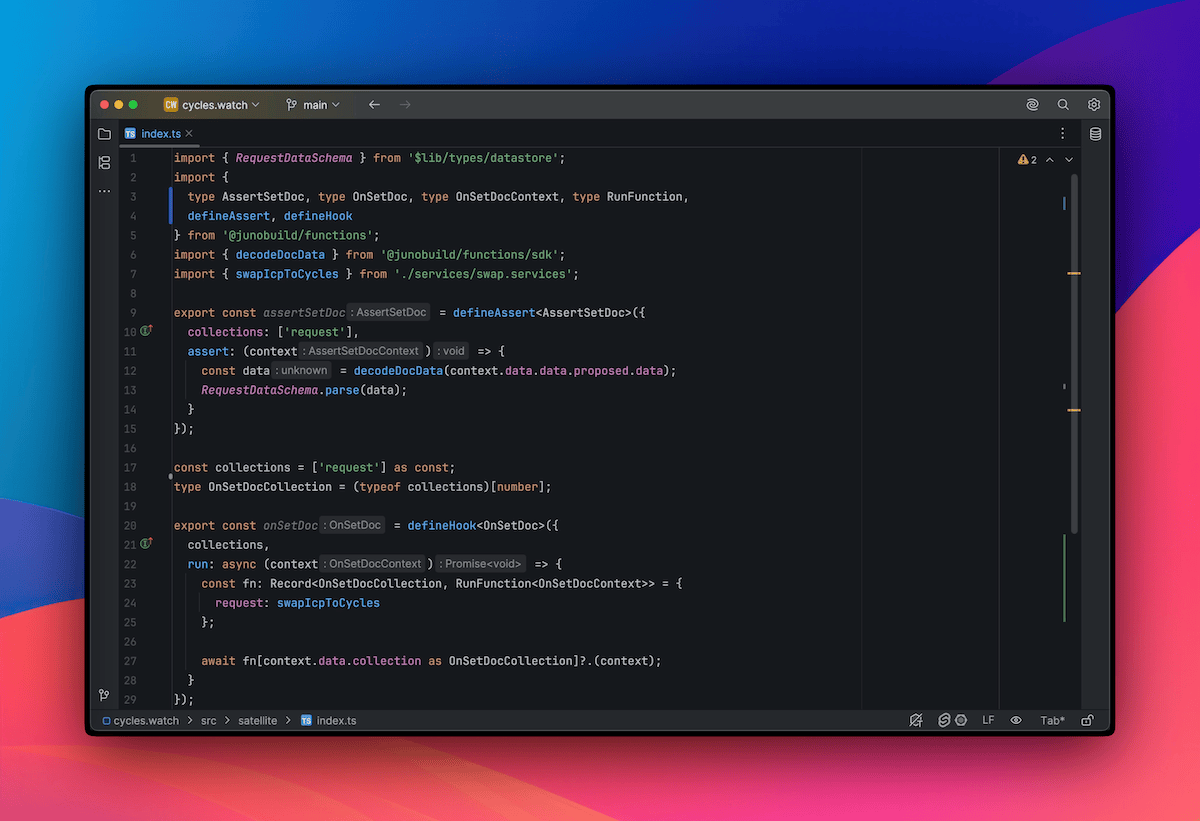
And here's for example how you'd validate a document before accepting it — using Zod for a clean, readable schema:

import { z } from "zod";
import { defineAssert, type AssertSetDoc } from "@junobuild/functions";
import { decodeDocData } from "@junobuild/functions/sdk";

const postSchema = z.object({
title: z.string().min(5, "Title must be at least 5 characters long")
});

export const assertSetDoc = defineAssert<AssertSetDoc>({
collections: ["posts"],
assert: (context) => {
const data = decodeDocData(context.data.data.proposed.data);
postSchema.parse(data);
}
});

That's it. No APIs to expose, no infra to manage. Just code that runs where your data lives.


🖥️ Local-First Development

Alongside TypeScript support, we've rethought the local development experience.

Instead of providing a partial local environment, the mindset shifted to mimicking production as closely as possible.

You still get a self-contained image with your Satellite, but now you also get the full Console UI included. That means you can manage and test your project locally just like you would on mainnet.

See this other blog post for all the details.


🧰 Zero Tooling, Just Code

Here's the beautiful part: even though your serverless functions are written in TypeScript, they're bundled and embedded into a Satellite module that's still compiled in Rust behind the scenes.

But you don't need to install Rust. Or Cargo. Or ic-wasm. Or anything that feels complicated or overly specific.

All you need is Node.js and Docker. The container takes care of the rest: building, bundling, embedding metadata and gives you a ready-to-run Satellite that runs locally and is ready to deploy to production.

In short: just code your functions. The container does the heavy lifting.


📡 Already in the Wild

This isn’t just a feature announcement — serverless functions in TypeScript are already live and powering real functionality.

I used them to build the ICP-to-cycles swap on cycles.watch, including all the backend logic and assertions. The whole process was documented over a few livestreams, from setup to deployment.

If you're curious, the code is on GitHub, and there’s a playlist on YouTube if you want to follow along and see how it all came together.
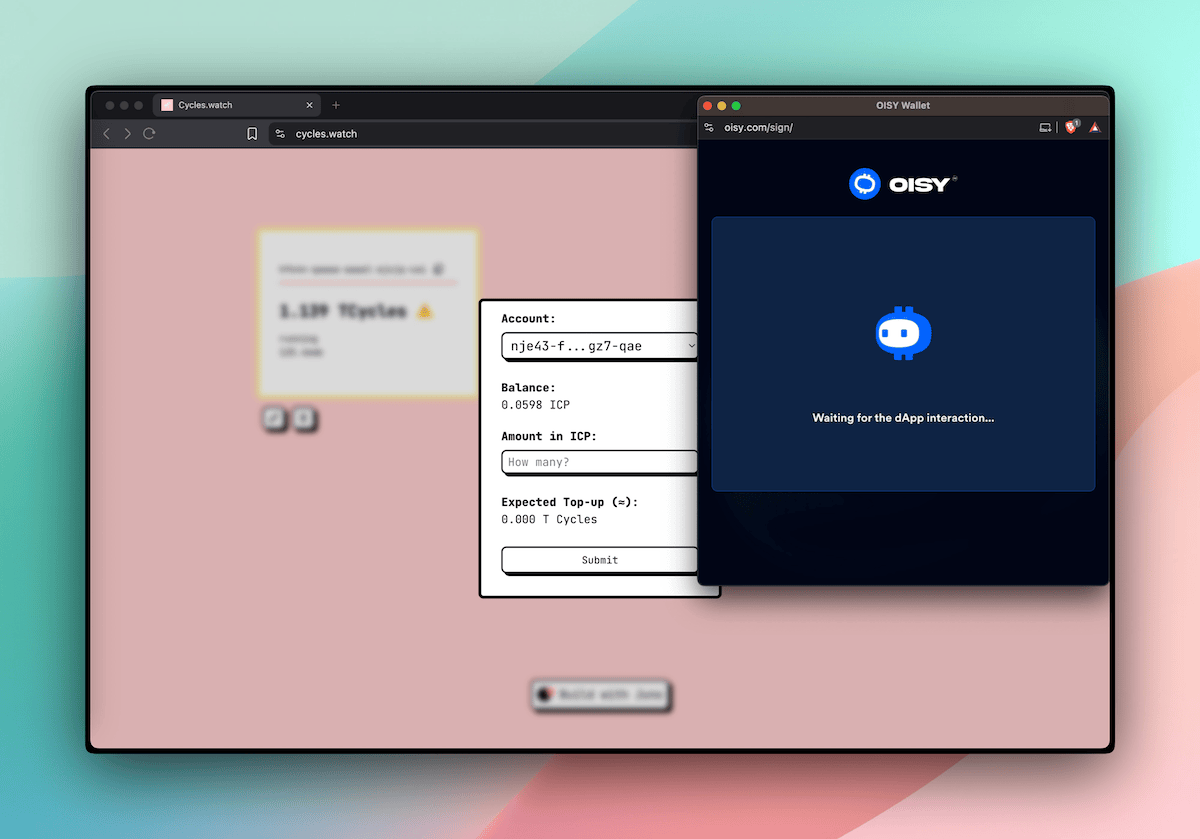
A screenshot of cycles.watch that integrates with OISY and use serverless functions in TypeScript to swap ICP for cycles


▶️ Try It Out

We've put together docs and guides to help you get started. If you're already using the Juno CLI, you're just one juno dev eject away from writing your first function or start fresh with npm create juno@latest.

To infinite and beyond,
David


Stay connected with Juno by following us on X/Twitter.

Reach out on Discord or OpenChat for any questions.

⭐️⭐️⭐️ stars are also much appreciated: visit the GitHub repo and show your support!
A Production-like Local Dev Environment

· 4 min read


Until now, running a local project meant spinning up an emulator with just enough to build with a single default Satellite container for your app.

That worked. But it wasn’t the full picture.

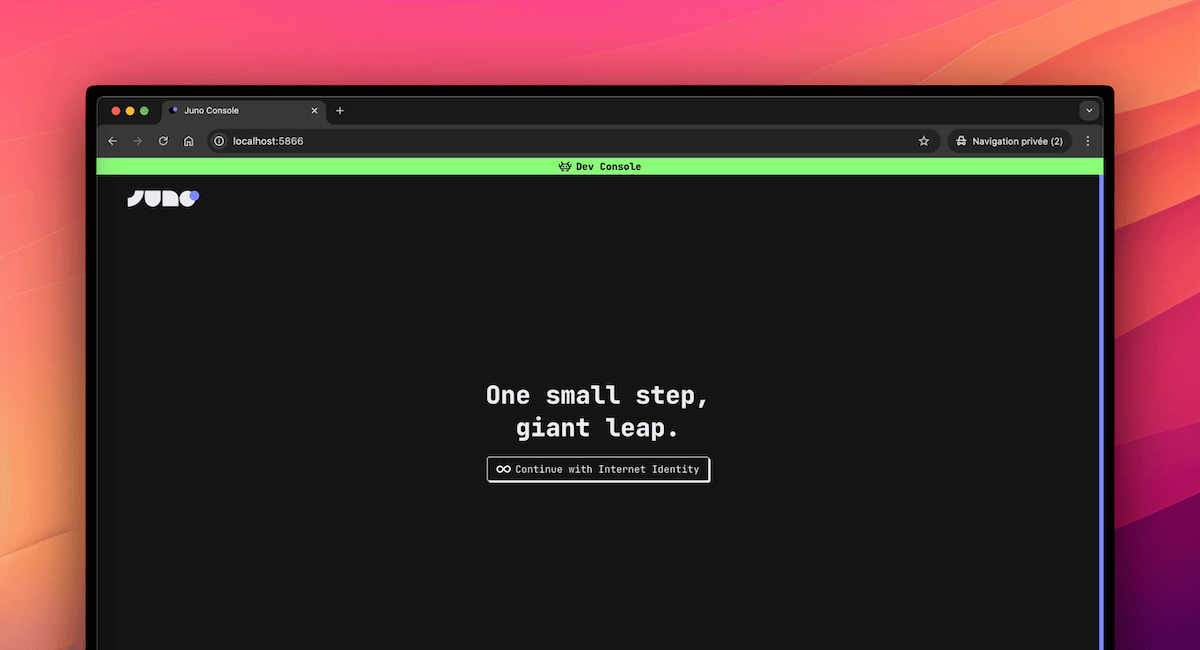
With the latest changes, local development now mirrors the production environment much more closely. You don’t just get a simplified setup — you get the actual Console UI, orchestration logic, and almost a full infrastructure that behaves like the real thing.

This shift brings something most cloud serverless platforms don't offer: production-level parity, right on your machine.


🤔 Why This Matters

Local development isn’t just about getting things to run. It’s about understanding how your project behaves, how it scales, and how it integrates with the platform around it.

With this shift, you build with confidence that what works locally will work in production. You don’t need to guess how things will behave once deployed — you’re already working in an environment that mirrors it closely.

It also helps you gradually get familiar with the tools that matter, like the Console UI. You learn to use the same workflows, patterns, and orchestration logic that apply when your app goes live.

This removes a lot of friction when switching environments. There's less surprise, less debugging, and a lot more flow.

It’s local development, but it finally feels like the real thing.


📦 What’s Included

The new local environment is powered by the junobuild/skylab Docker image, now used by default in templates and tooling.

It brings together everything you need to build and test your project in a real setup:

  • Console UI — the same interface used in production on https://console.juno.build

  • More preinstalled services — including Internet Identity, ICP Ledger and Index, NNS Governance and Cycles minting (CMC)

  • Live reload — serverless functions written in Rust or TypeScript automatically reload on change

  • Orchestration logic — the flow of creating Satellites, managing configurations, and testing behaviors mirrors production

No custom scripts. No extra setup. Everything is handled by the tooling.


🧪 What About CI?

Not every project needs a UI.

That’s why the lightweight junobuild/satellite image still exists — and still works just as it always has. It’s ideal for CI pipelines, isolated app testing, or local startup when you don’t need the Console and more infrastructure.

This shift in approach isn’t a breaking change. It adds a new default, but doesn’t remove what was already there.

Looking ahead, there's an intention to simplify scripting even further by allowing Datastore and Storage definitions directly in the main juno.config file. The goal is to eventually phase out juno.dev.config and unify configuration — but that’s for the future.

For now, everything remains compatible. You choose what fits best.


🚀 How to Get Started

There are two ways to start using the new local environment — whether you’re beginning fresh or updating an existing project.

🆕 Starting from Scratch

Everything is already set up in the templates. Just run:

npm create juno@latest

This will scaffold your project with the latest configuration, using the junobuild/skylab image and the updated local workflow.

🔄 Migrating an Existing Project

If you already have a project configured for local development and want to switch to the new approach:

  1. Update the CLI:
npm i -g @junobuild/cli
  1. Remove your juno.dev.config.ts (or the JavaScript or JSON equivalent)

  2. Update your docker-compose.yml to use the junobuild/skylab image (adjust paths as needed for your project):

services:
juno-skylab:
image: junobuild/skylab:latest
ports:
# Local replica used to simulate execution
- 5987:5987
# Little admin server (e.g. to transfer ICP from the ledger)
- 5999:5999
# Console UI (like https://console.juno.build)
- 5866:5866
volumes:
# Persistent volume to store internal state
- juno_skylab:/juno/.juno
# Your Juno configuration file.
# Notably used to provide your development Satellite ID to the emulator.
- ./juno.config.mjs:/juno/juno.config.mjs
# Shared folder for deploying and hot-reloading serverless functions
# For example, when building functions in TypeScript, the output `.mjs` files are placed here.
# The container then bundles them into your Satellite WASM (also placed here),
# and automatically upgrades the environment.
- ./target/deploy:/juno/target/deploy/

volumes:
juno_skylab:

That’s it — you’re good to go.


✅ Closing Thoughts

This shift removes a lot of friction between idea and execution.

You build in the same structure, use the same tools, and follow the same workflows you'd use in production — but locally, and instantly.

Local development finally feels like you're already in production, just without the pressure.


Stay connected with Juno by following us on X/Twitter.

Reach out on Discord or OpenChat for any questions.

⭐️⭐️⭐️ stars are also much appreciated: visit the GitHub repo and show your support!
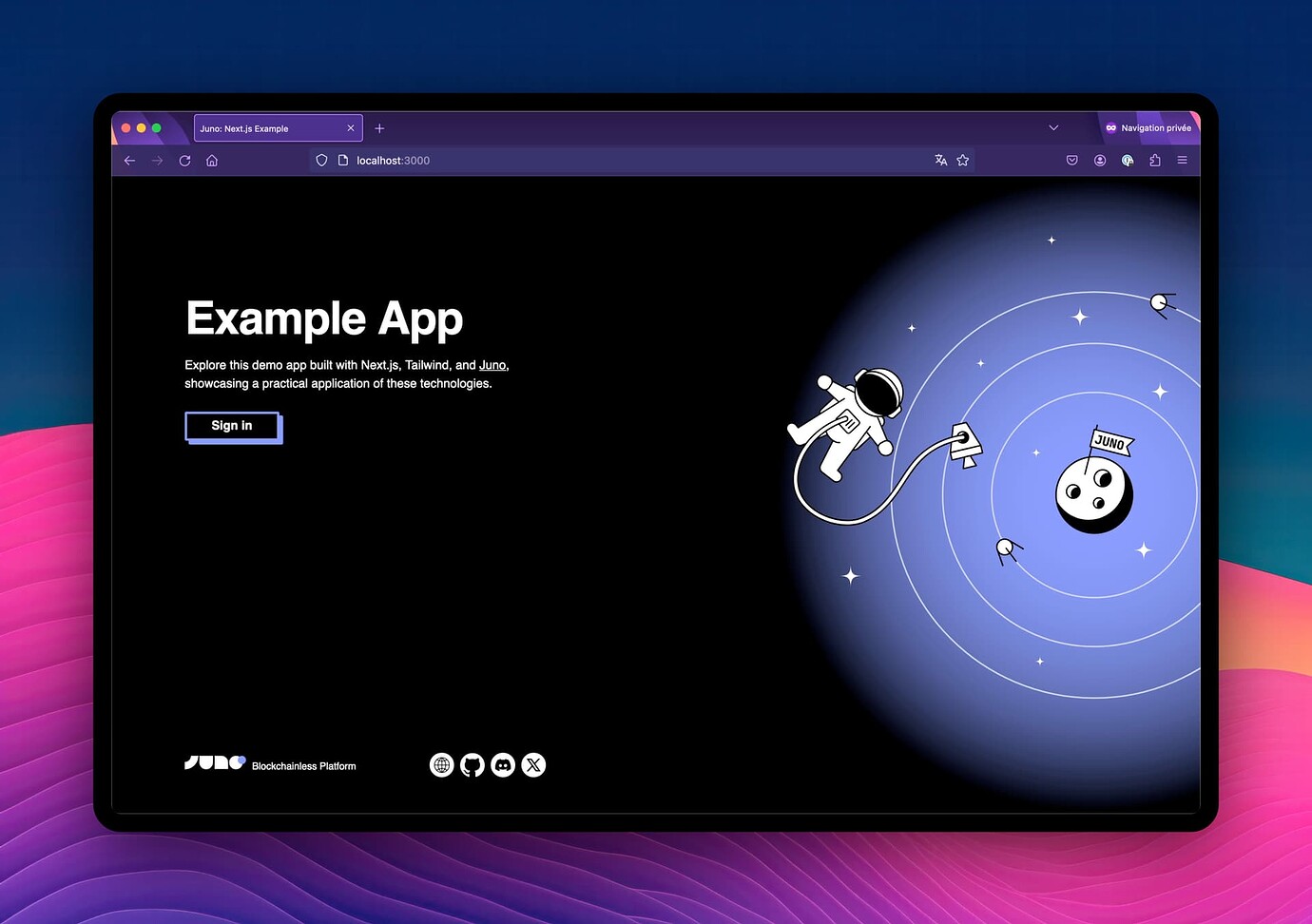
Create Juno Just Got a Big Upgrade

· One min read

🚀 Create Juno just got a big upgrade!

✨ Local dev is now the default for apps (!)
🛠 Scaffold serverless functions
🛰 Sputnik preview (WIP)
📦 Updated all template dependencies
🎓 Onboarding revamped

Give it a try 😎

With NPM:

npm create juno@latest

With Yarn:

yarn create juno

With PNPM:

pnpm create juno

Internet Identity Domain

· One min read

Morning! Great news for the Juno community, which has always used identity.internetcomputer.org as the default domain for authentication.

Internet Identity now supports passkeys on both of its domains!

This means it should no longer matters whether devs or users sign in via identity.internetcomputer.org or identity.ic0.app — the registered identity should work seamlessly across both. There are a few limitations, which is why II may prompt you to register your current device.

As a result, I’ve just launched a new, clean sign-in page with a single call to action! 🚀

To address potential sign-in issues, the page still offers domain-specific methods as a fallback. Plus, I added a brand-new footer accessible on scroll—kind of really happy with that design. 😃

👉 https://console.juno.build/

Cool, cool, cool!


References:

Cleaned login page

UI/UX Improvements

· One min read

Don’t deploy on Fridays?

I just released a new version focused entirely on improving the wallet and enhancing the user experience in the Console.

⚡ Snappier UI/UX
🔒 Improved data certification (query+update calls)
🪄 Slick new wizards for top-ups, cycle transfers, and sending ICP

Happy weekend, everyone! ☀️🚀

👉 Release v0.0.42 · junobuild/juno

Wallet USD Balance Display

· One min read

Joining the wallet 💵 display party – balances and amounts are now displayed in USD on the Juno Console too! 🎉

Kudos to KongSwap for sharing their exchange rate endpoint! 🙌

Wallet balance in USD

While I was at it, I fixed a few navigation leftovers from the last version, reviewed the UX of all transaction modals, integrated the exchange feature into each of them, and... had some fun with the colors 🎨

Transaction modal with USD

Monitor your wallet and modules

· 2 min read

I’m thrilled to unveil the first big feature of the year: a brand-new way for Juno devs to monitor your wallet and modules automatically! 🚀

✅ Keeps cycles topped up when balances run low
🔔 Sends email notifications for top-ups (opt-in)
🔁 Set it up once, never again — it’s automatically applied to all future projects

Everything is controlled through the Mission Control — which means that developers remain the sole controllers!

The feature is built using the Canfund library developed by the DFINITY Foundation. 12/10 would highly recommend it for building similar features.

This feature is part of an absolutely massive release. I believe there were over 270 commits shipped. 🤓

👉 Release v0.0.40 · junobuild/juno


In this version, I also revised the navigation to integrate Analytics, Monitoring, Mission Control, and Wallet within the main panel. This update led to the introduction of new colors. 🎨

Navigation screenshot 1

Navigation screenshot 2

Navigation screenshot 3

Navigation screenshot 4

What’s New in Juno (November 2024 Edition)

· 5 min read

Hey everyone 👋

November’s been an exciting month, especially since I’ve officially started working full-time on Juno — thanks to the recently announced funding! This shift has already led to delivering some fantastic new features for developers, like automated backups (finally!!!), support for large WASM modules, the ability to buy cycles with Stripe, and a few other goodies.

These updates are all about making development smoother and more efficient, whether you’re building dapps, smart contracts, or managing your projects. Let’s dive into what’s new!


Backups

To kick things off, I’d like to highlight the introduction of backups—a feature I’ve been waiting for forever!

This addition brings a crucial layer of security for developers, letting you safeguard your modules and restore them whenever needed.

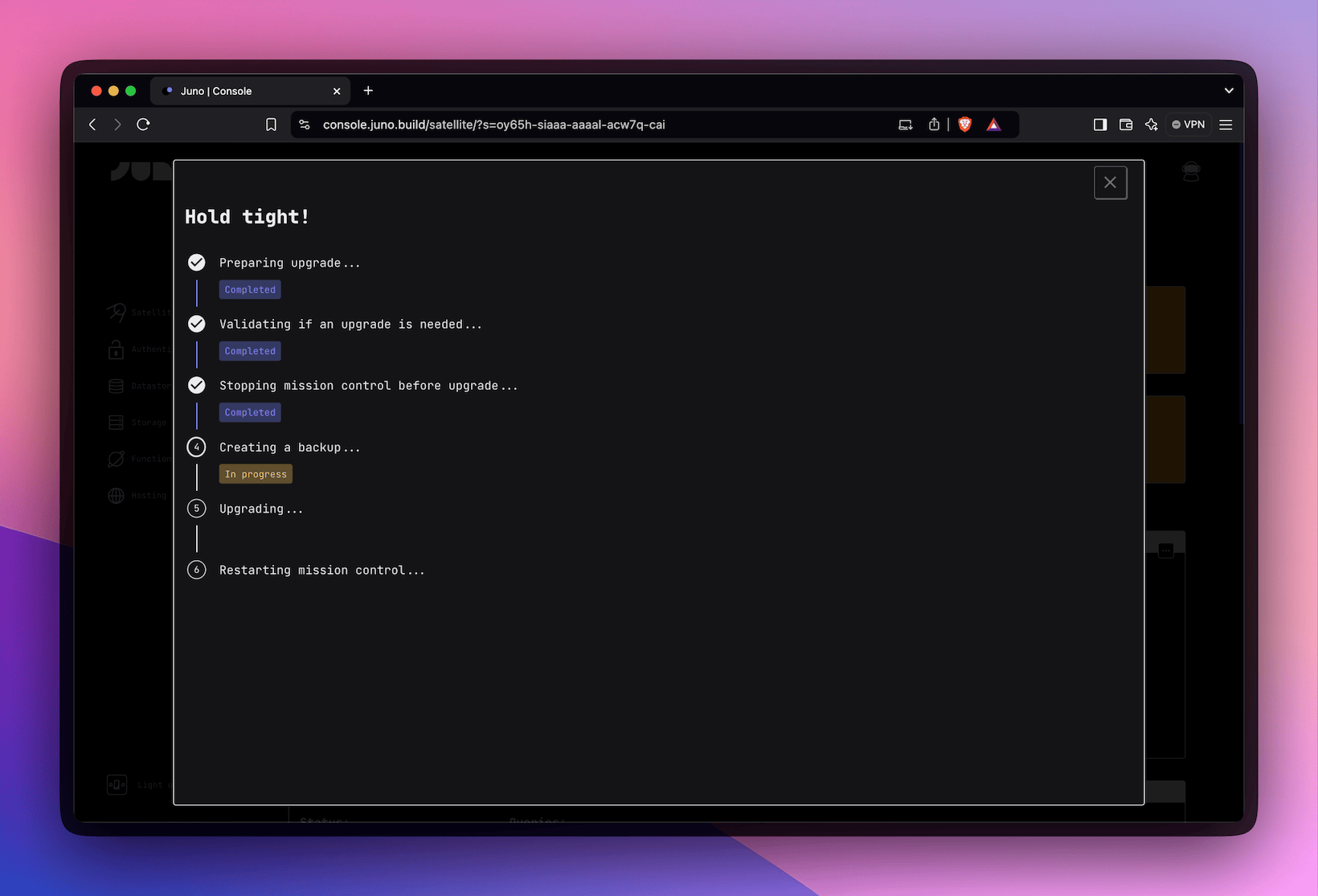
A screenshot of the steps for an upgrade

Here’s how it works: Currently, one backup per module is supported. You can manage backups manually via both the Console UI and the CLI, with options to create, restore, or delete them. Additionally, backups are automatically created during the upgrade process, taking a snapshot before transitioning to a new version. For those who prefer full control, advanced options let you skip creating a backup or avoid overwriting an existing one.

For anyone who, like me, feels a bit tense whenever it’s time to execute an upgrade, this feature is a huge relief. It’s really a great addition!


Buy Cycles with Stripe

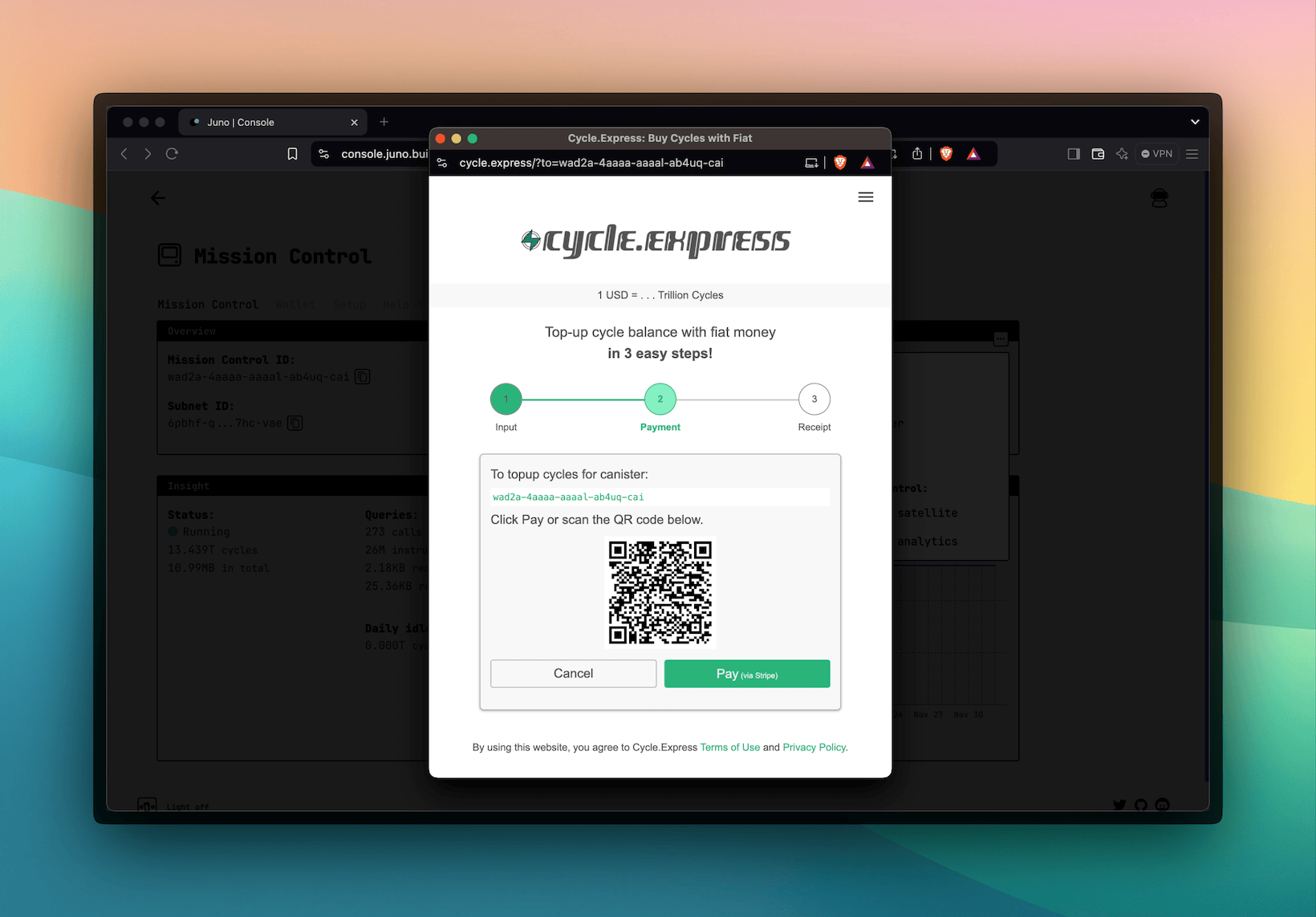
Getting cycles has become more straightforward, particularly for newcomers and non-crypto-native users, with the ability to buy cycles directly through Stripe, thanks to our friends at cycle.express.

A screenshot of the integration with cycle.express

With this integration, developers can simply make a payment, and the cycles are added directly to their module.


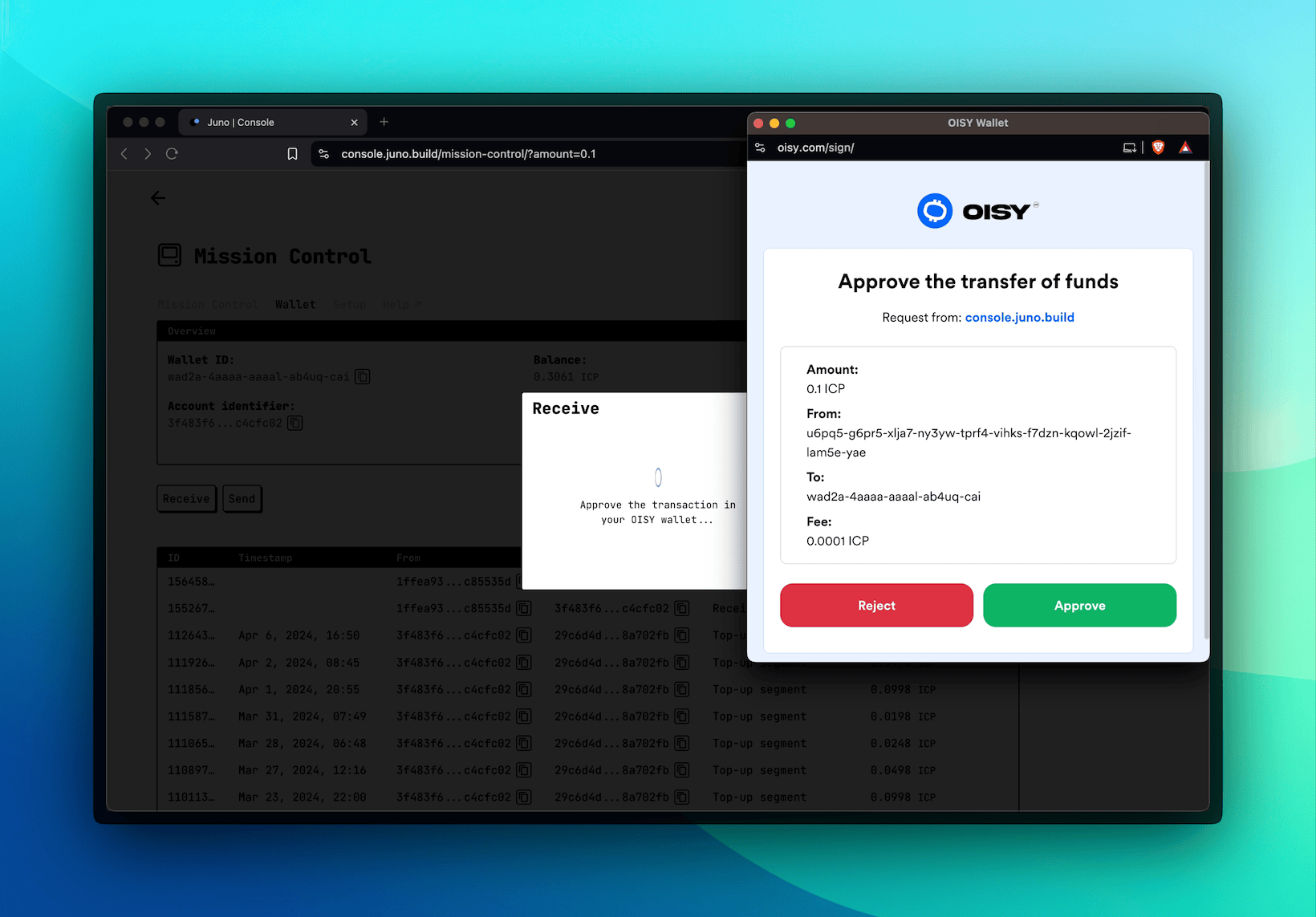
Get ICP directly from the OISY Wallet

This was both a useful feature, as it makes it easy to transfer ICP from OISY to the developer's wallet on Juno, and an opportunity for me to try out the integration with various ICRC standards I implemented for the foundation.

A screenshot of the integration with OISY

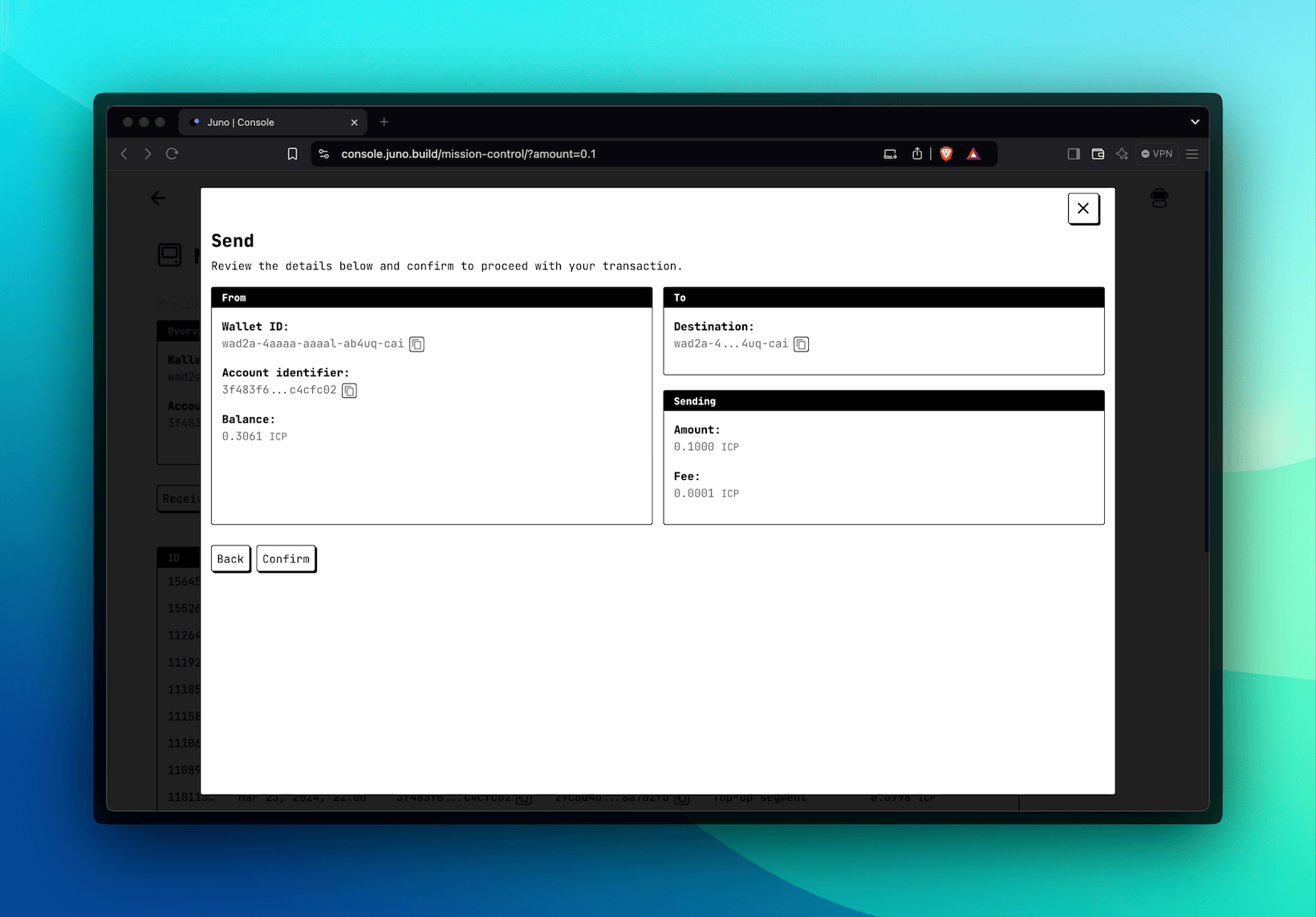
I also used the opportunity to improve the UI/UX of the Receive feature by displaying wallet addresses with a QR code. This update wraps up a few related tasks, such as adding support for sending ICP to the outside world.

A screenshot of the new modal to send ICP to the outside world


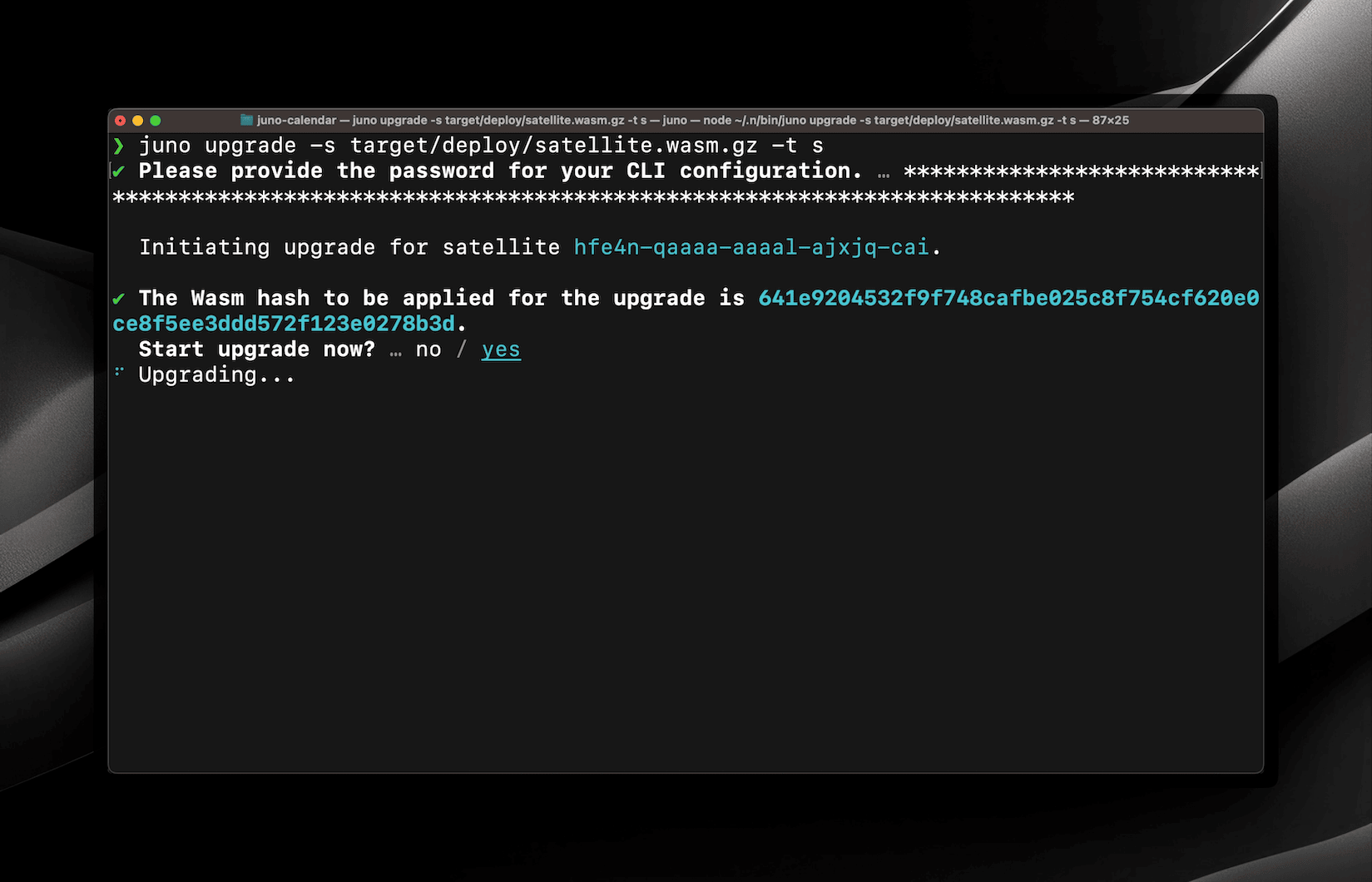
Support for Large WASM Modules

Support for larger WASM modules (over 2MB) has been added. While none of Juno's stock modules—such as Satellites, Mission Control, or Orbiter (Analytics)—come close to this size when gzipped, this limit could quickly be reached by developers using serverless functions.

A screenshot of the upgrade process using the CLI

By extending this limit, developers have more flexibility to embed additional third-party libraries and expand their module capabilities.

This support has been implemented across the CLI, the Console UI, and even local development environments using Docker, ensuring a consistent experience for all workflows.


Default Web Page

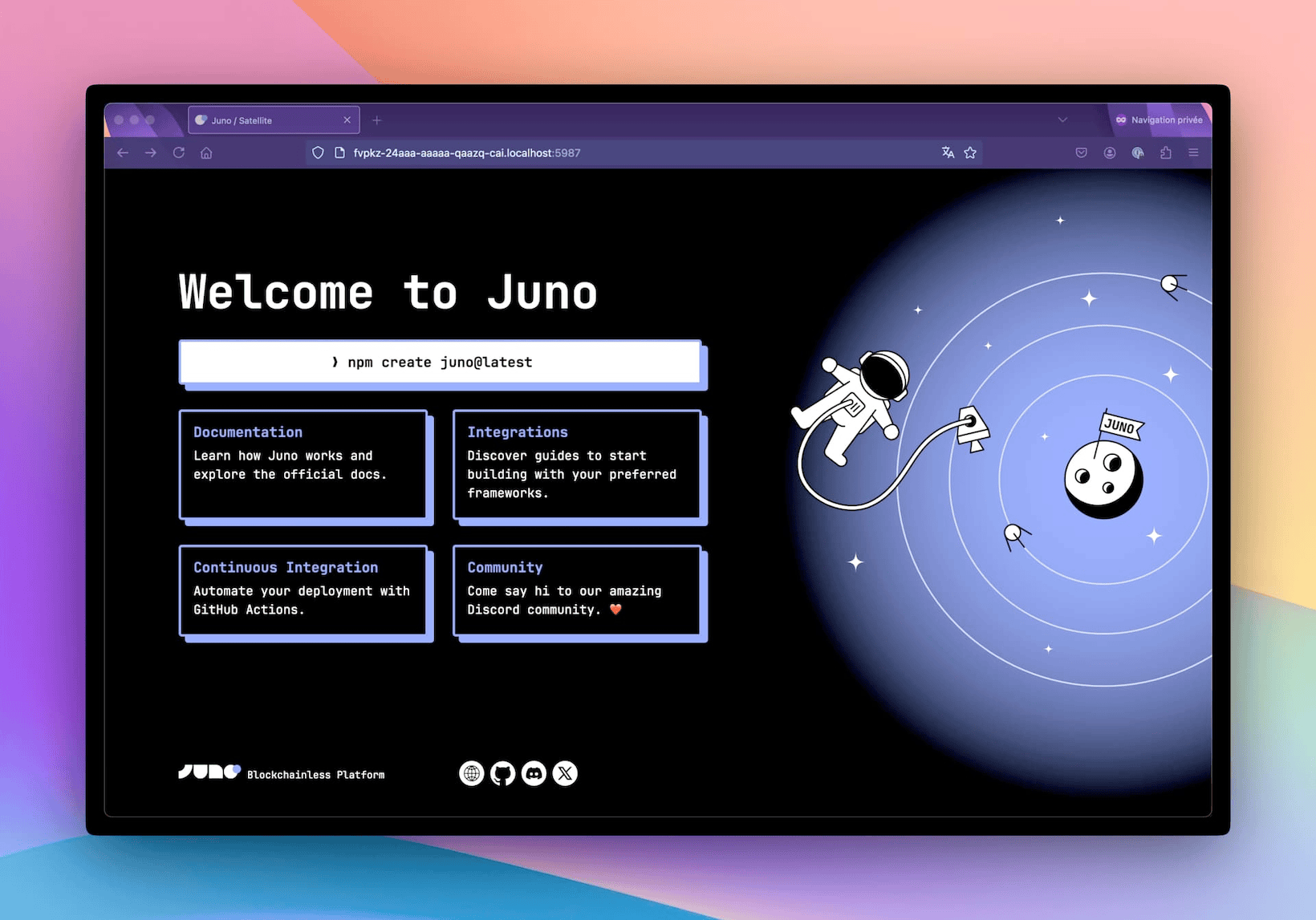
Until recently, new Satellites launched lacked a default page for web hosting. This meant that developers opening their project right after creation would just see a blank page in the browser.

That’s why every new Satellite now comes with a sleek, informative default web page—delivering a great first impression right out of the box! ✨

A screenshot of the new default web page which contains links to the documentation


Pre- and post-deploy scripts

Another handy tool introduced this month is support for pre- and post-deploy scripts in the CLI. With this feature, developers can now define a list of commands to be executed at specific stages of the deployment process.

The pre-deploy scripts are perfect for automating tasks like:

  • Compiling assets.
  • Running tests or linters.
  • Preparing production-ready files.

Likewise, post-deploy scripts come in handy for follow-up tasks, such as:

  • Sending notifications or alerts to administrators.
  • Cleaning up temporary files.
  • Logging deployment information for auditing.
import { defineConfig } from "@junobuild/config";

/** @type {import('@junobuild/config').JunoConfig} */
export default defineConfig({
satellite: {
id: "ck4tp-aaaaa-aaaaa-abbbb-cai",
source: "build",
predeploy: ["npm run lint", "npm run build"],
postdeploy: ["node hello.mjs"]
}
});

Darker Dark Theme

Maybe not the most groundbreaking update, but the dark theme got even darker. 🧛‍♂️🦇 Perfect for those late-night coding sessions—or if you just enjoy the vibe!

A screenshot of the darker dark theme


Improved Documentation

Another area that saw improvement is the documentation. I aimed to make it more intuitive and useful for both newcomers and experienced developers. That’s why I revamped the guides section. Now, when you visit, you’ll be greeted with a simple question: “What are you looking to do? Build or Host?” 🎯. This approach should hopefully make onboarding smoother and more straightforward for developers.

The CLI documentation also received an upgrade. Updating it manually was a hassle, so I automated the process. Now, CLI help commands generate markdown files that are automatically embedded into the website every week. No more manual updates for me, and it’s always up to date for you! 😄

I also dedicated time to documenting all the configuration options in detail, ensuring every setting is clearly explained.

And as a finishing touch, I refreshed the landing page. 👨‍🎨

I hope these features get you as excited as they got me! I’m already looking forward to what’s next. Speak soon for more updates!

David


Stay connected with Juno by following us on X/Twitter.

Reach out on Discord or OpenChat for any questions.

⭐️⭐️⭐️ stars are also much appreciated: visit the GitHub repo and show your support!